Live Weather: Daily Forecast
WINDWAVE LIMITEDWeather
4.4791.00 Reviews
- Version
- 1.5.9
- Installs
- 10.00M
- Age Rating
- Everyone
Screenshots
Our Review of Live Weather: Daily Forecast
 Analysis by Appyee
In a shared home, the weather check is rarely just about one person. I might open Live Weather: Daily Forecast before leaving, while someone else is deciding whether to hang laundry outside or change plans for the afternoon. That makes a straightforward screen more useful than a crowded dashboard: you can get a quick sense of what the day may bring, then pass along the practical takeaway without turning weather planning into a group project.
A quick check for the whole household
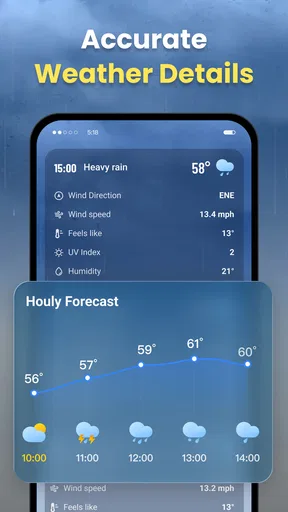
The app suits households where people have different schedules but need the same basic information. A parent heading out early may care about the morning commute; another person may be thinking about a walk later. The hourly view can help answer those separate questions, while the broader forecast gives everyone a shared starting point. I would still treat it as a planning aid rather than a promise: forecasts can change, and a quick look before leaving is not a substitute for checking again when conditions matter.
One useful habit is to check the relevant hour, not just the headline for the day. A day that looks generally pleasant may still have a wet stretch around the time you need to walk, cycle, or collect someone. I find that distinction more actionable than a single summary. If several people are coordinating, a short message such as “take a light jacket for the evening” is often more helpful than forwarding a whole screen of weather details.
Keep setup personal, not assumed to be shared
On a shared phone or tablet, I would decide at the outset whose location and preferences the app should reflect. A weather app is most useful when the displayed place matches the person making the decision, but one device can be used by several people with different routines. Before relying on it, check that the location shown is the one you intend to use; otherwise, a perfectly readable forecast can still be the wrong forecast for the person asking.
I would also avoid assuming that one person’s alerts automatically solve everyone else’s needs. If someone is away from the shared device, they may not see a notification on it. For household coordination, agree on who checks for important changes and how that information gets passed along. That is a simple routine, but it prevents the common mix-up of assuming that “the app warned us” means every person actually received the warning.
Useful for coordination, with sensible limits
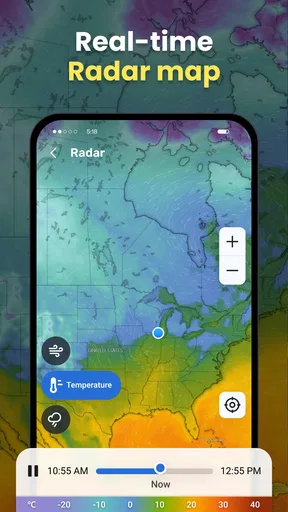
For a family outing, the map view can help compare the destination with places along the route, rather than checking only the weather at home. I would use it to spot whether conditions appear different across regions, then check again before setting off if the trip is important. That extra step matters because a broad visual overview is useful for orientation, but it should not be treated as a precise guarantee for every street or stop.
Compared with a phone’s built-in weather panel, this app gives you another place to look when you want hourly detail, alerts, or a map-based view. Compared with more elaborate weather services, its appeal is the direct, approachable presentation; people who want specialist charts or extensive tools may prefer a more technical option. The trade-off is easy to understand: a simpler interface can make everyday decisions quicker, but it may not satisfy someone who wants to investigate every atmospheric detail.
Who will get the most from it?
I think it is a good fit for people who check the weather to decide what to wear, whether to carry an umbrella, or when to schedule an ordinary errand. It is also convenient for households that want a quick shared reference, provided they keep the device’s location and alert habits clear. If you need a highly specialized forecast for outdoor work, mountain conditions, or other situations where small local changes carry serious consequences, I would compare dedicated services and follow relevant local guidance instead of relying on a general-purpose app alone.
For a realistic weekday routine, imagine checking the hourly forecast over breakfast, seeing that the conditions around the school run may differ from those later in the day, and deciding to pack a rain layer before anyone leaves. Then, if plans shift, a second look can help the household adjust. The value is not that the app makes the decision for you; it puts a few practical clues in one place so you can make a better-informed choice.
The User Experience
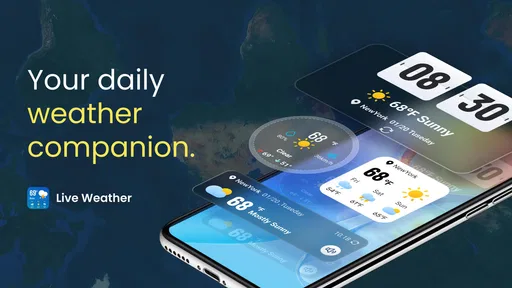
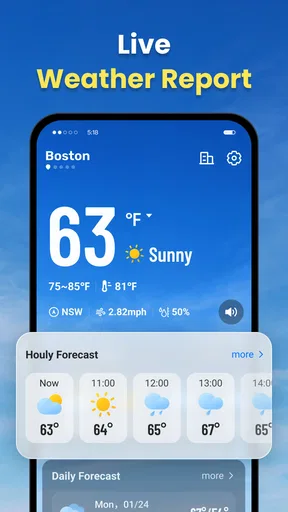
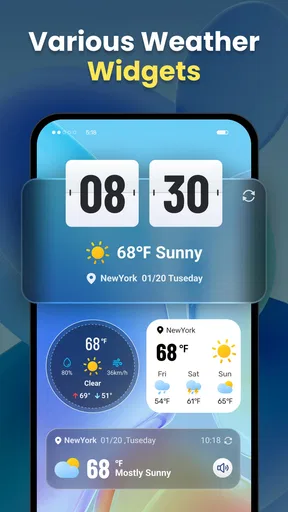
First off, let's talk about the interface. It’s sleek, intuitive, and not cluttered with unnecessary features. You know how some apps try to throw everything at you, leaving you more confused than informed? Not the case here. Live Weather: Daily Forecast keeps it simple and to the point. The moment you open it, you’re greeted with the current weather conditions in your area, displayed with neat graphics that make it easy to understand.
The app is not just about today’s weather. You can swipe through to see forecasts for the upcoming week. The hourly updates are a lifesaver for those "should I bring an umbrella?" moments. It’s like having a personal weather station right in your pocket.
Features That Stand Out
One of the standout features that caught my attention is the real-time weather alerts. Whether it’s a sudden storm or a heatwave on the horizon, the app sends timely notifications to keep you prepared. It’s particularly useful if you’re someone who’s out and about a lot.
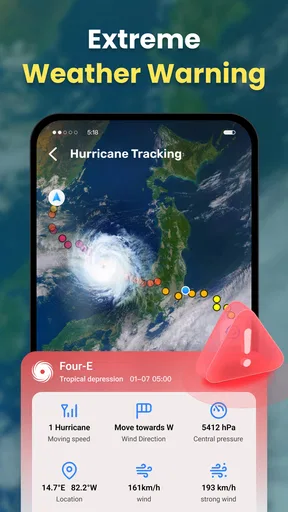
Another cool feature is the integration with maps, which gives you a broader view of weather patterns across different regions. This is handy if you're planning a road trip or curious about the weather in other parts of the world.
"Weather forecasting just got a whole lot easier with this app. It’s like having a meteorologist in your pocket!"
Performance and Reliability
I’ve found the app’s performance to be pretty solid. It updates quickly and doesn’t lag, which is crucial when you’re relying on it for real-time information. Plus, it doesn't drain your battery, which is always a plus in my book.
Now, I know some of you are concerned about data usage. The app runs efficiently in the background without hogging data, so you can check the weather without worrying about your monthly data cap.
Final Thoughts
Overall, if you’re looking for a reliable, no-fuss weather app, Live Weather: Daily Forecast is a solid choice. It’s user-friendly, packed with useful features, and delivers what it promises. Whether you're planning your day or checking the weather for a weekend getaway, this app has got you covered.
Ready to take the guesswork out of your daily weather planning? Give it a try, and let the sun—or rain—guide your day!
Trust, age, and everyday expectations
Weather information can influence small choices that affect everyone at home, so I would make the app part of a sensible routine rather than treating any single forecast as certain. Its Everyone age rating makes it broadly suitable from an age-classification perspective, but younger users may still benefit from an adult explaining what a forecast can and cannot tell them. A weather alert is a prompt to pay attention, not a substitute for local emergency instructions or an adult’s judgement during severe conditions.
There is also a difference between a shared device and a shared account. I would not assume that installing the app creates a family setup or synchronizes everyone’s preferences. If multiple people use one device, they should confirm the displayed place before acting on the forecast, especially after someone has travelled. That small check avoids confusing a home forecast with the conditions where another household member is spending the day.
Practical habits that make the forecast more useful
For a morning routine, I would check the hourly outlook once while getting ready and again before a later outdoor plan if the weather looks changeable. This is more useful than repeatedly opening the app without a decision in mind. The first check can guide clothing or packing; the later one can help decide whether to move a walk, garden task, or visit. Treating the forecast as a timed checkpoint keeps it helpful without letting notifications dictate the day.
The map view is best used as a comparison tool, not as a promise about a precise address. When planning a drive, I would scan the route and destination for broad differences, then use the hourly forecast to think about when those areas matter. If the trip involves a long journey or conditions that could make travel unsafe, I would also consult current local advisories. That combination uses the app’s overview while respecting the limits of general forecasting.
Alerts are most valuable when they lead to a clear action. If a household member is usually outside during the day, decide whether that person should check the app directly or whether someone at home will pass along a relevant warning. Avoid switching on every notification just because alerts are available; unnecessary interruptions can make people less likely to notice the one that matters. A selective approach is a practical trade-off between staying informed and keeping the phone quiet.
How it fits beside other weather choices
Many people already rely on the weather panel built into their phone. That is often enough for a quick temperature glance, and there is little reason to add another app if the built-in option already answers your daily questions. I see this app as more appealing when you specifically want to move between current conditions, an hourly outlook, a week view, alerts, and maps without hunting through several screens or services.
At the other end, weather enthusiasts may prefer services with more specialized layers and technical presentation. Those can be better when the user knows how to interpret detailed charts or needs a particular kind of forecast. Live Weather: Daily Forecast is the more approachable choice for ordinary planning, but the simpler experience is also a limit: I would not choose it as my only source for safety-critical decisions or specialist outdoor activities.
It is free to install, which makes trying it for routine checks straightforward, while optional in-app purchases range from $2.99 to $49.99 per item. I would first decide whether the basic experience covers my needs before considering any purchase; there is no reason to spend simply because an option is present. The app is from WINDWAVE LIMITED, has a 4.4 average from around 8.8 thousand ratings, and has been installed over a million times. Those figures suggest it has found a sizable audience, but they do not tell me whether its forecast suits a particular location or personal routine, so I would judge it by how useful it proves in daily use.
Installation and fit
The current version is 1.2.25, and the app requires Android 7.0 or later. It was released on December 27, 2024, and its 336 written reviews offer another place to see what users have experienced, though individual impressions can differ by device and location. If you are choosing it for an older phone, checking the operating-system requirement first is an easy way to avoid a needless install attempt.
I would recommend it to someone who wants a readable weather check, particularly if hourly planning and a map view are useful parts of their routine. I would skip it if a built-in forecast already does everything needed, if you dislike weather notifications, or if you need specialist data beyond ordinary day-to-day planning. The best household use is modest and clear: check the right location, look at the hours relevant to your plans, and share only the information other people need.
Privacy and Permissions
See what permissions an app requests and how it handles your data.
- Location
- approximate location (network-based), precise location (GPS and network-based)
- Wi-Fi connection information
- view Wi-Fi connections
- Other
- view network connections, full network access, run at startup, control vibration, prevent device from sleeping, Google Play license check
Verdict
Strengths of Live Weather: Daily Forecast
- Accurate real-time weather updates.
- Intuitive and user-friendly interface.
- Customizable weather alerts.
- Detailed hourly and weekly forecasts.
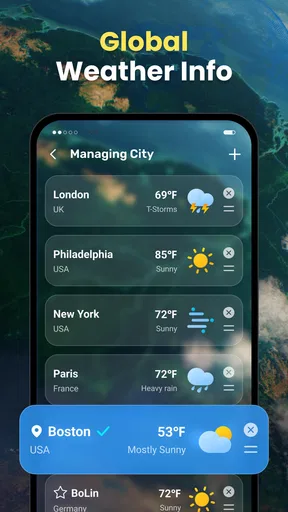
- Supports multiple locations tracking.
Limitations of Live Weather: Daily Forecast
- Ad-supported version can be intrusive.
- Some features require in-app purchases.
- Occasional loading delays on updates.
- Limited customization in free version.
- May drain battery with frequent updates.
Other Releases by WINDWAVE LIMITED
View All
Local Weather: Live Forecast
Weather4.6
Similar Picks in This Category
View All
Weather - By Xiaomi
Xiaomi Inc.4.1

Weather & Radar Forecast
WetterOnline4.8

Weather
OneLouder Apps4.6

AccuWeather: Weather Radar
AccuWeather3.6

The Weather Channel - Radar
The Weather Channel4.6

1Weather Forecasts & Radar
OneLouder Apps4.3
You May Also Like
View All
Frequently Asked Questions
What features does Live Weather: Daily Forecast offer?
Live Weather: Daily Forecast provides real-time weather updates, including temperature, humidity, wind speed, and precipitation forecasts. It also offers hourly and weekly forecasts, radar maps, and weather alerts. Users can customize notifications and choose from various themes for a personalized experience.
Is Live Weather: Daily Forecast free to use?
The app offers a free version with basic features. However, to enjoy ad-free usage, additional customization options, and advanced features like detailed radar maps and extended forecasts, users can opt for the premium version through in-app purchases or a subscription plan.
How accurate is the weather information provided by the app?
Live Weather: Daily Forecast sources its data from reliable weather services, offering high accuracy in its forecasts. Users generally report satisfaction with the precision of the current and near-future weather updates, though like all forecasting tools, it may occasionally be affected by unexpected weather changes.
Does the app consume a lot of battery or data?
Live Weather: Daily Forecast is optimized to minimize battery and data usage. While using GPS for location-specific forecasts can slightly increase battery consumption, the app efficiently manages resources. Users can adjust update frequency and data settings to further conserve battery and data usage.
Can I use Live Weather: Daily Forecast offline?
The app requires an internet connection to update weather data, but it does store recent forecasts for offline access. This means users can view the last downloaded forecast even when offline, which is useful in areas with limited connectivity.
